
A safe domain migration maps every valuable old URL to its closest new equivalent, launches permanent server-side redirects, replaces old-domain signals throughout the new site, submits the eligible Change of Address requests, and monitors both domains until crawling and search performance stabilize.
- A domain migration occurs URL by URL rather than through one homepage redirect.
- Change the domain separately from major redesign, CMS and content changes when possible.
- Keep permanent redirects for at least one year and retain the old domain under your control.
- Monitor the old and new domains together instead of judging success from one report.
01
Preconditions
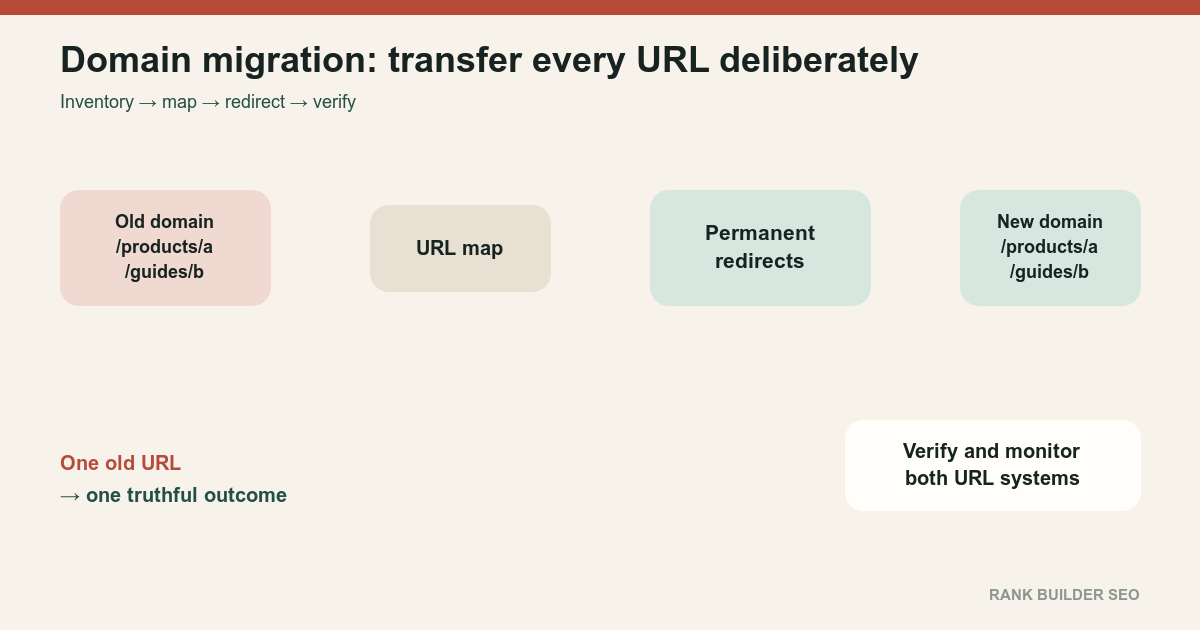
A domain migration changes the public hostname of existing content.
Examples include:
old-example.com → new-example.com
store.example.com → shop.example.net
brand-a.com → combined-brand.com
Changing hosting while every visible URL remains the same is a different operation. Moving from HTTP to HTTPS or from www to non-www also changes URLs, but those cases have separate operational rules.
Before scheduling a domain move, establish:
- Ownership and administrative control of both domains
- Search Console verification for relevant old and new properties
- A crawlable inventory of the current site
- Current canonical URLs
- Current redirect behavior
- XML sitemap inventory
- Important image and downloadable-file URLs
- Analytics and server-log baselines
- Backlink destinations
- Current traffic and conversion baselines
- A rollback plan
- A complete URL mapping
Google recommends changing one major system at a time. Moving the domain while also replacing the CMS, redesigning the site, rewriting content and reorganizing every path makes causes difficult to separate and requires search systems to relearn several things at once. How to move a site[1]
Expect temporary fluctuation. A migration is processed per URL as old addresses are recrawled, redirects are followed and new addresses are evaluated.
02
Ordered process
- Inventory the old domain.
Combine:
- Canonical content records
- XML sitemaps
- Internal crawler output
- Search Console pages
- Analytics landing pages
- Server logs
- Backlinks
- Image and document URLs
- Redirect records
Do not rely on one crawler export. It cannot report URLs that no current internal link exposes.
- Build the URL map.
Give every old URL one intended outcome:
- One-to-one replacement
- Consolidated replacement
- Permanently removed
- Intentionally retained on the old domain
- Private or inaccessible resource
- Unknown and requiring review
Use the detailed Redirect Mapping for Site Migrations process.
- Prepare the new domain before launch.
Test:
- Pages
- Images
- CSS and JavaScript
- Forms
- Downloads
- Structured data
- Canonicals
- Hreflang
- Sitemaps
- Robots rules
- Search Console verification
- Analytics
- Error pages
If development used noindex or restrictive robots rules, prepare their exact production replacements.
- Preserve content identity.
Keep the same primary content and a recognizable architecture during the move when practical.
A migration is easier to process when:
- Old article maps to equivalent new article
- Old product maps to equivalent new product
- Old category maps to equivalent new category
- Old language version maps to the same language
- Old images map to corresponding new images
- Implement permanent server-side redirects.
Use 301 or 308 from every moved old URL to its mapped new URL.
Prefer:
   old-example.com/guide/widget
       → new-example.com/guide/widget
Avoid:
   old-example.com/guide/widget
       → new-example.com/
Google treats permanent redirects as strong canonicalization signals. Redirects and Google Search[3]
- Remove contradictory old-domain signals.
On the new site, update:
- Self-canonicals
- Internal links
- Navigation
- Breadcrumbs
- Structured-data URLs
- Hreflang
- Open Graph URLs
- Image references
- Feed links
- Sitemap URLs
- Forms and API callbacks
Do not launch new-domain pages that canonicalize to the old domain.
- Launch and test the redirects immediately.
Test:
- Homepage
- Major templates
- Highest-traffic pages
- Highest-linked pages
- Deep URLs
- Parameters
- Images
- PDFs
- Deleted content
- All known host variants
Confirm that every redirect reaches the final destination in one step.
- Use Change of Address when eligible.
The Search Console Change of Address tool is intended for domain or subdomain moves. Use it after redirects are active.
Do not use it for:
- HTTP to HTTPS
- Path-only changes
wwwto non-www- Hosting changes with unchanged public URLs
Verify and submit all applicable old-domain variants. Change of Address tool[2]
- Submit the new sitemap.
The new sitemap should contain only preferred new-domain canonical URLs.
Remove redirecting, old-domain, noindexed and nonexistent URLs.
- Update high-value external references.
Prioritize:
- Business profiles
- Social profiles
- Advertising destinations
- Email templates
- Major backlink sources
- Partner profiles
- Documentation
- Application integrations
Redirects remain necessary because not every external link will be updated.
- Monitor both domains.
Compare:
- Old-domain redirect requests
- New-domain successful requests
- Crawl activity
- Indexing
- Canonical selection
- Search impressions
- Clicks
- Analytics
- Conversions
- Server errors
Use Post-Migration SEO Monitoring.
- Retain the old domain and redirects.
Google’s general site-move guidance recommends keeping redirects for at least one year and as long as possible. The Change of Address interface remains active for 180 days, but redirect usefulness continues beyond that window.
Keep control of the old domain. An abandoned former domain can be purchased and misused.
03
Failure cases
A domain move is at risk when only the homepage redirects; every old page redirects to the new homepage; redirect chains pass through several hosts; important old URLs return 404; new pages canonicalize to the old domain; old URLs remain in internal links or sitemaps; development noindex rules remain active; the new domain blocks Googlebot; Search Console verification is lost; images and PDFs are forgotten; a redesign and CMS replacement launch simultaneously; the new server cannot handle redirected crawl demand; the old domain expires; or analytics properties make old and new traffic impossible to compare.
Do not reverse the migration merely because rankings fluctuate for several days. Reverse only when a material implementation failure or business requirement justifies another disruptive move.
04
Completion criteria
A domain migration is operationally complete when:
- Every valuable old URL has a documented outcome
- All intended replacements redirect in one step
- New pages use new-domain self-canonicals
- New sitemaps contain only preferred new URLs
- Internal links no longer point to old URLs
- The old domain remains under control
- Error rates are normal
- Googlebot can access the new site
- Indexing increasingly reflects the new URLs
- Search and conversion trends have stabilized within the site’s normal variability
- Remaining old-domain requests are understood
- A final migration report records the mapping, release and evidence
The objective is not immediate disappearance of every old URL. It is a coherent transfer in which every old address produces a truthful, durable outcome.
References
Sources behind this record
- How to move a site — Google (accessed July 30, 2026)
- Change of Address tool — Google (accessed July 30, 2026)
- Redirects and Google Search — Google (accessed July 30, 2026)
Corrections
Correction history
No corrections recorded.
To report an error, use the public corrections path.
Careful implementation can reduce migration risk, but ranking and traffic fluctuations remain possible while search systems recrawl, reprocess and reassess the moved URLs.