
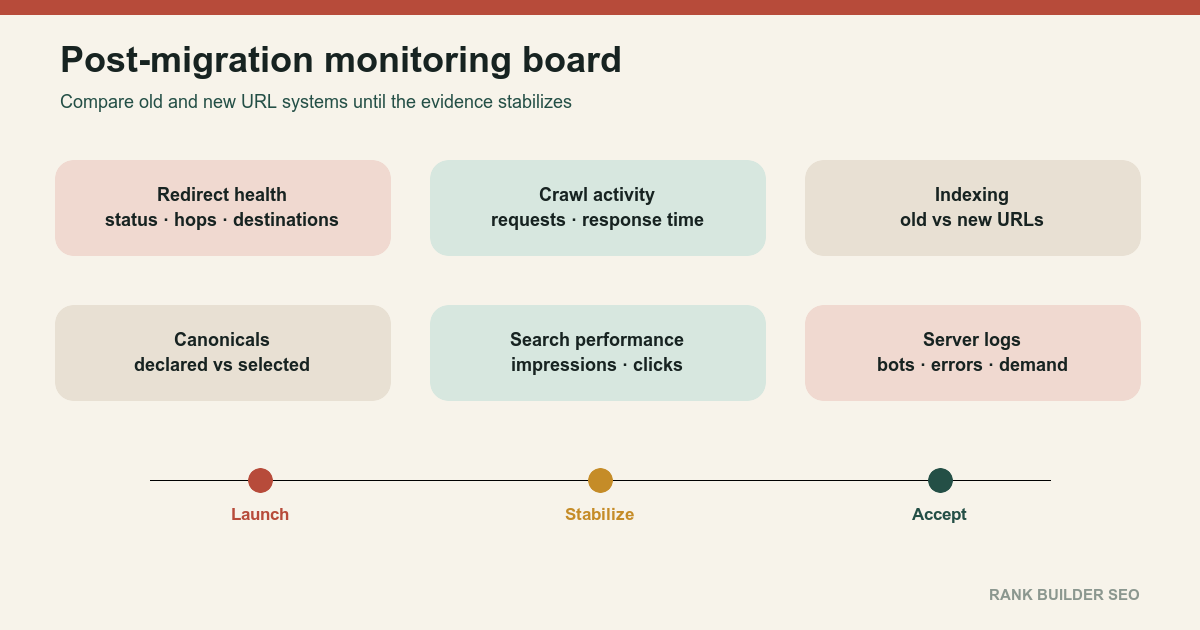
Evaluate a migration by comparing old and new URL behavior across redirects, server logs, Search Console, canonicals, sitemaps, analytics and conversions, then separate expected transition from defects that require intervention.
- A migration is processed URL by URL and rarely appears complete in every report simultaneously.
- Redirect and serving failures deserve faster action than ordinary ranking fluctuation.
- Compare old and new properties together so transferred activity is not mistaken for disappearance.
- Define closure criteria before launch rather than declaring success when the deployment completes.
01
Preconditions
Capture a prelaunch baseline.
Record the old canonical URL count; indexed URL patterns; search impressions; search clicks; important query groups; landing-page traffic; conversions; crawl activity; response-code distribution; server response time; major backlink destinations; sitemap counts; canonical selection samples; top pages; top directories; host variants; and known exclusions.
Record the exact migration event: release time; source commit; deployment; URL-map version; redirect configuration; sitemap version; Search Console actions; DNS changes; certificate changes; analytics changes; and known exceptions.
Google advises monitoring both old and new URLs and explains that a migration is processed per URL. Temporary ranking fluctuation is expected while old and new addresses are recrawled and reindexed. How to move a site[1]
02
Ordered process
- Verify the release before interpreting search data.
Confirm:
- New pages return
200 - Old URLs produce expected redirects or removal responses
- No redirect loops
- No chains
- Canonicals use new URLs
- Sitemaps use new URLs
- Robots rules are correct
- No development
noindex - Assets load
- Analytics records visits
- Monitor old and new Search Console properties together.
Compare:
- Impressions
- Clicks
- Query groups
- Landing pages
- Indexing states
- Sitemaps
- Crawl reports
- Manual actions
- Security issues
Old-property activity can decline while new-property activity rises. Looking at only one side can make transferred performance appear lost.
- Inspect representative URLs.
Select:
- Homepage
- High-traffic page
- High-link page
- Category
- Article
- Product
- Deep page
- Removed page
- Parameterized page
- Image or PDF
URL Inspection can report the last crawl, indexing allowance and selected canonical for individual pages. Inspect and troubleshoot a single page[2]
- Monitor redirect coverage.
Calculate:
- Old URLs tested
- Expected permanent redirects
- Actual permanent redirects
- Unexpected
200 - Unexpected
404 - Unexpected temporary redirects
- Chains
- Loops
- Wrong destinations
Prioritize high-traffic and high-link sources, but do not ignore systematic low-volume failures.
- Monitor request logs.
Check:
- Verified crawler requests to old URLs
- Verified crawler requests to new URLs
- Redirect response volume
4044104295xx- Response time
- Template concentration
- Old-host traffic
- New-host traffic
A crawler continuing to request old URLs is normal while redirects remain in use. A high error rate at the destination is not.
- Monitor sitemap processing.
Verify:
- New sitemap fetched
- Submitted count expected
- No old-domain URLs
- No redirecting URLs
- No noindexed URLs
- Canonical URLs only
- Accurate modification dates
- Monitor canonical selection.
Sample pages where:
- Old URL remains selected
- Alternate hostname appears
- HTTP remains selected
- Parameter variant appears
- Staging URL appears
- New canonical is rejected
Diagnose conflicting links, redirects, sitemaps and content.
- Compare performance by cohorts.
Group pages by:
- Template
- Directory
- Content type
- Migration rule
- Traffic tier
- Publication age
- Redirect outcome
- Canonical group
A single sitewide average can hide one failed directory.
- Separate expected transition from failure.
Expected:
- Old URLs continue to be crawled
- New URLs enter reports gradually
- Rankings fluctuate
- Old and new URLs coexist temporarily
- Crawl demand rises
Investigate urgently:
- New pages blocked
- New pages noindexed
- Redirect loops
- Broad
5xx - Wrong canonical host
- Homepage catch-all redirects
- New sitemap rejected
- Analytics missing
- Conversion failure
- Important pages returning
404
- Request recrawling selectively.
Use URL Inspection for a few important corrected URLs.
Use sitemaps for broad URL inventories. Repeated requests for the same URL do not accelerate crawling. Ask Google to recrawl your URLs[3]
- Maintain an issue ledger.
Record:
- Symptom
- First observed
- Affected cohort
- Evidence
- Severity
- Owner
- Corrective action
- Verification
- Closure date
- Define migration closure.
Close only when technical and business conditions are stable.
Set an observation cadence before launch so the team does not improvise from every daily fluctuation. Technical failures such as loops, 5xx responses, missing canonicals or broken analytics require immediate triage. Crawl, index and performance cohorts need longer comparison windows. Record which signals are expected to move quickly, which require recrawling and which business measures are too sparse for daily interpretation.
Keep every dashboard tied to an exportable URL cohort and a named baseline. Aggregate charts can look recovered while a revenue-producing template, language or directory remains impaired. When a metric changes, preserve the query, date window, filters and denominator that produced it. Link confirmed incidents to deployments and corrective releases, then annotate the subsequent recovery window. This makes closure reproducible: another reviewer can trace each residual risk to evidence instead of accepting a screenshot or a general statement that traffic “looks normal.”
03
Failure cases
Do not compare the new site only with the old site’s final day.
Do not diagnose a penalty from three days of fluctuation.
Do not wait for traffic data before fixing redirect loops or 5xx failures.
Do not request indexing for every migrated URL individually.
Do not remove redirects when old URLs still receive meaningful requests.
Do not treat old URLs remaining in search as proof that redirects failed.
Do not merge unrelated analytics configurations during the migration without preserving a comparison bridge.
Do not judge the whole migration from the homepage.
Do not report aggregate recovery while one important template remains broken.
04
Completion criteria
A migration can be closed when:
- Critical old URLs produce intended outcomes
- New canonical pages return healthy responses
- Redirect loops and chains are absent
- Error rates are within normal bounds
- New sitemaps are processed
- Canonical selection increasingly reflects new URLs
- Old and new Search Console data has been reconciled
- Analytics and conversions work
- Important page cohorts have stabilized
- Remaining old-URL requests are understood
- Redirect retention is scheduled
- The old domain or host remains controlled
- All incidents have owners or documented acceptance
- A final report records baseline, release, findings, corrections and residual risk
Use Domain Migration SEO for domain moves, HTTP to HTTPS Migration for protocol changes, and Redirect Mapping when the observed failures originate in the original map.
Deployment completion means files changed servers. Migration completion means the old and new URL systems now behave as one coherent public site.
References
Sources behind this record
- How to move a site — Google (accessed July 30, 2026)
- Inspect and troubleshoot a single page — Google (accessed July 30, 2026)
- Ask Google to recrawl your URLs — Google (accessed July 30, 2026)
Corrections
Correction history
No corrections recorded.
To report an error, use the public corrections path.
No monitoring framework can predict an exact recovery date because crawl frequency, site scale, server behavior, content changes and external demand vary.