
Protect staging with authentication, remove public discovery paths, apply noindex when anonymous testing must remain possible, and use Search Console removal only as temporary acceleration after the durable access or indexing control is in place.
- Authentication is the strongest normal control for a private staging environment.
- Robots.txt is not access control and can leave discovered URLs visible without content.
- Noindex must be crawlable before a search engine can process it.
- A temporary removal request does not replace fixing the staging environment.
01
Preconditions
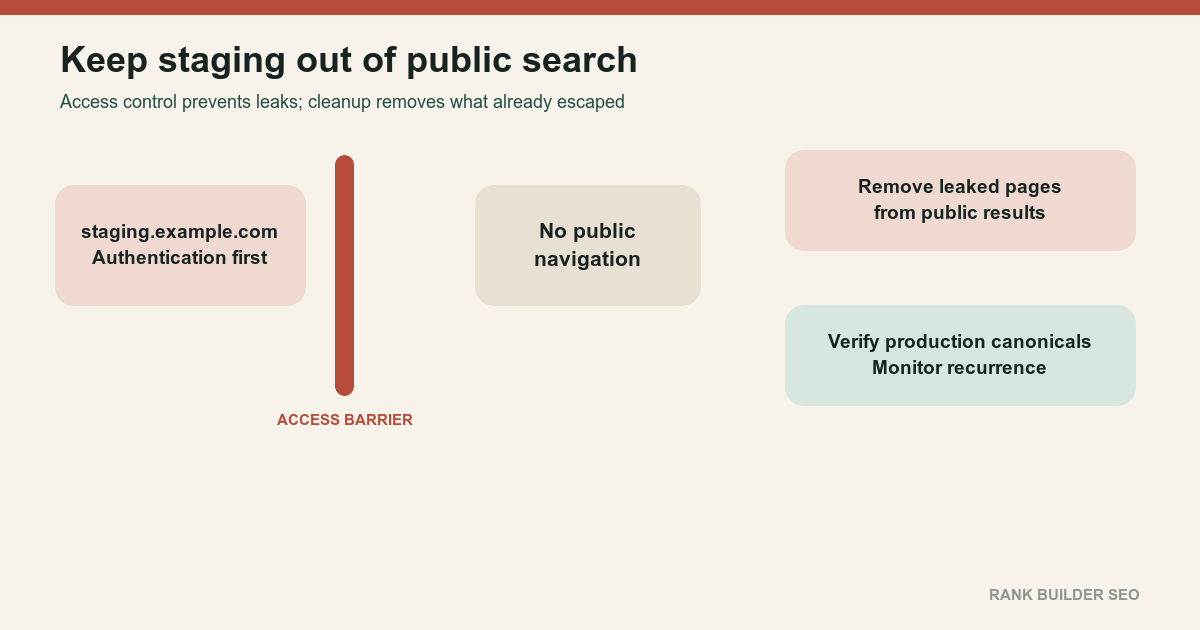
Identify the affected environment.
Examples:
staging.example.com
preview.example.com
project.pages.dev
test.example.net
temporary-host.example
Collect all known staging hostnames; indexed or discovered URLs; search result examples; Search Console properties; DNS records; access-control settings; robots rules; robots meta directives; canonicals; internal and external links; sitemaps; deployment previews; CDN aliases; and build-system defaults.
Decide whether the environment should be:
- Private
- Publicly testable but excluded from search
- A legitimate independent public site
- Removed entirely
For private staging, authentication is the correct default.
Google’s hosting-move guidance recommends restricted testing environments and notes that temporary public hostnames can use noindex to prevent accidental indexing. Changing your hosting[1]
Preserve evidence before changing the environment. Capture representative search results, response headers, robots directives, canonicals, sitemap references and public links. Check access logs when available to learn whether crawlers and users are still requesting leaked URLs. This evidence separates a one-time indexed copy from an active route that deployment automation continues to expose.
Name the system that creates each public hostname. A staging URL can return after cleanup when a hosting preview, branch deployment, CDN alias or build default recreates it. The durable fix belongs in that source system, with access controls verified on a fresh deployment rather than only on the currently leaked instance.
02
Ordered process
- Preserve evidence.
Record:
- Affected URLs
- Current statuses
- Search result screenshots or exports
- Current canonical targets
- Discovery sources
- Deployment identity
- Public links
- First observed date
- Protect the environment.
For private staging, require:
- HTTP authentication
- Application authentication
- IP restriction
- Identity-aware proxy
- Equivalent access control
Authentication prevents anonymous users and crawlers from retrieving the content.
- Remove public discovery paths.
Eliminate staging URLs from:
- Production links
- Sitemaps
- Feeds
- Structured data
- Canonicals
- Hreflang
- Open Graph
- XML configuration
- Public documentation
- Repository examples
- Public deployment dashboards
- Apply
noindexwhen anonymous access must remain.
Use a robots meta tag:
meta name="robots" content="noindex"or an HTTP header:
X-Robots-Tag: noindexGoogle must crawl the page to see the directive. Block Search indexing with noindex[2]
- Do not block crawling before noindex is processed.
This is contradictory:
   robots.txt: Disallow staging URLs
   page: noindex
The crawler cannot retrieve the page to process the page-level rule.
For a public-but-noindexed test host, allow retrieval long enough for the noindex to be processed.
- Use removals only as temporary acceleration.
Search Console’s removal tools can hide results temporarily. They do not permanently fix a publicly accessible staging site.
First establish the durable state:
- Authentication
- Noindex
- Removal
404or410
Then use the removal tool when immediate temporary suppression is needed. Remove information on your website from Google[3]
- Choose the response for retired staging URLs.
If the host is being removed:
- Return
404or410 - Remove DNS when appropriate
- Remove deployment aliases
- Remove certificates and routing only after the intended response period
- Preserve logs needed for investigation
Do not redirect every staging URL to production unless each staging path has a safe, equivalent production path.
- Verify production canonicals.
Production pages must self-canonicalize to production.
Do not allow:
link rel="canonical" href="https://staging.example.com/page"- Inspect indexed examples.
For representative staging URLs, verify:
- Current response
- Authentication
- Noindex
- Canonical
- Search Console status
- Production equivalent
- Link sources
- Audit deployment automation.
Ensure future preview deployments automatically receive:
- Authentication or private access
- Noindex where appropriate
- No sitemap
- No feed
- No production analytics
- No production canonical hostname
- No public navigation
- Clear environment labeling
- Monitor recurrence.
Search for newly exposed preview hosts through:
- DNS inventory
- Cloud provider projects
- Certificate-transparency monitoring
- Search Console
- Logs
- Site graph
- Search queries
- Deployment records
Handle the discovery as both a search incident and an environment-governance failure. Create an inventory that links each exposed hostname to its deployment project, owner, access policy, canonical configuration and retirement decision. That evidence distinguishes one forgotten preview from a repeatable process flaw and keeps cleanup work from ending when a few search results disappear.
After applying access controls, test with a fresh unauthenticated client rather than an administrator’s browser session. Check representative HTML pages, assets, error routes and deployment aliases. Confirm that the response cannot be bypassed through another hostname and that production remains crawlable. Preserve screenshots or response headers for the incident record, then repeat the checks after the next deployment. If confidential material may have been exposed, keep that investigation separate from routine SEO removal so visibility, credentials and disclosure obligations receive the appropriate owners.
03
Failure cases
Do not use robots.txt as the only privacy control.
Do not canonicalize staging to production and assume the staging copy will disappear. A canonical is a duplicate signal, not access control.
Do not expose customer, credential, draft or private data with only noindex.
Do not remove staging results temporarily while leaving the pages publicly indexable.
Do not redirect every leaked staging path to the production homepage.
Do not leave public deployment aliases active indefinitely.
Do not carry staging noindex rules into production during a migration.
Do not remove Search Console verification before the cleanup can be monitored.
04
Completion criteria
The incident is complete when:
- Private staging requires authentication
- No staging URL appears in production links or sitemaps
- Production canonicals point to production
- Retired staging URLs return truthful responses
- Publicly testable pages expose valid noindex directives
- Search removal requests, if used, are backed by durable controls
- Previously indexed examples are dropping from search
- Future deployment templates enforce the intended staging policy
- No confidential content was exposed, or any exposure has been handled through the appropriate security process
- Monitoring can detect a recurrence
Use Excluded by Noindex to interpret expected Search Console status and URL Blocked by Robots.txt when an attempted cleanup prevents the crawler from seeing the actual directive.
Keep a small recurrence check after removal. Verify that retired staging URLs remain inaccessible, new preview deployments inherit the intended access policy, and production continues to return self-canonicals without staging references. Record the hostname owner, control method and verification date so the next deployment does not silently recreate the same public surface.
References
Sources behind this record
- Changing your hosting — Google (accessed July 30, 2026)
- Block Search indexing with noindex — Google (accessed July 30, 2026)
- Remove information on your website from Google — Google (accessed July 30, 2026)
Corrections
Correction history
No corrections recorded.
To report an error, use the public corrections path.
Removal timing depends on recrawling and processing, and search engines outside Google may use different tools and schedules.