
Serve every canonical page successfully over HTTPS, permanently redirect each HTTP URL to its exact HTTPS equivalent, replace HTTP references throughout the site, submit HTTPS sitemaps, and monitor both protocol versions without using the Change of Address tool.
- An HTTPS migration changes every URL even when the hostname and path remain identical.
- Certificates must cover every public hostname and renew reliably.
- HTTP pages should redirect directly to equivalent HTTPS pages.
- Google's Change of Address tool is not used for HTTP-to-HTTPS migrations.
01
Preconditions
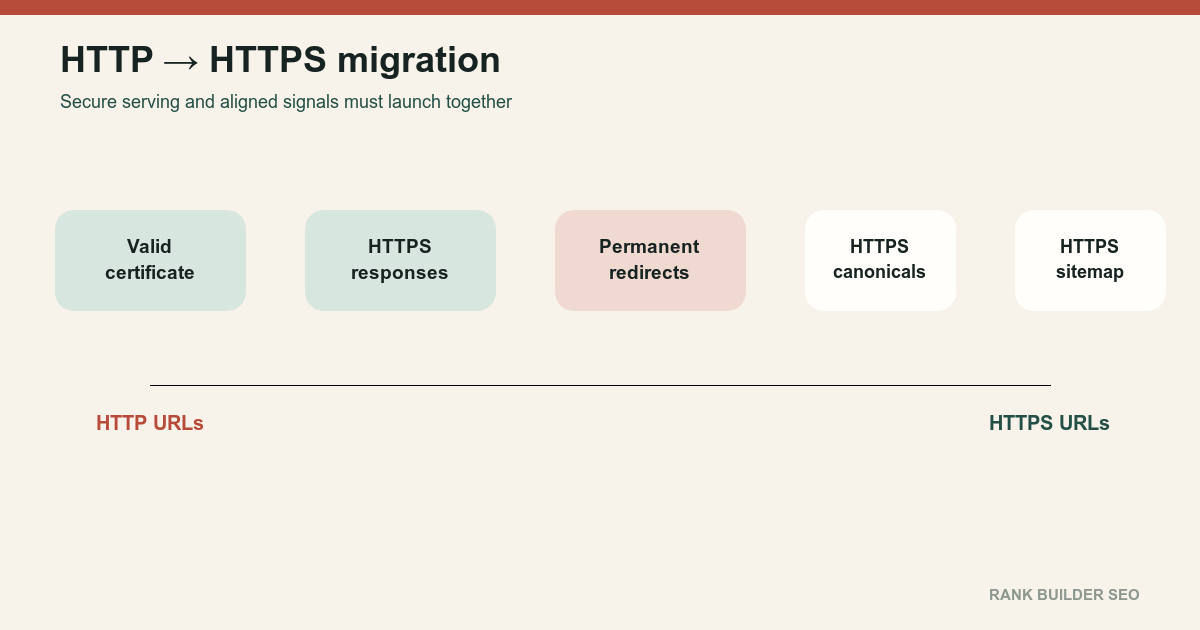
An HTTP-to-HTTPS migration changes the protocol of every public URL.
http://www.example.com/page
    → https://www.example.com/page
Prepare a valid TLS certificate; coverage for every public hostname; automatic renewal; HTTPS support at the CDN, proxy and origin; HTTPS versions of all public pages; secure CSS, JavaScript, image, font and API dependencies; Search Console access; a current URL inventory; redirect tests; a rollback procedure; and monitoring on edge and origin systems.
Do not launch redirects before verifying that the HTTPS destinations work.
Google normally prefers equivalent HTTPS pages as canonicals, but conflicting signals, invalid certificates, insecure dependencies or HTTPS-to-HTTP redirects can interfere with that preference. How to specify a canonical URL with rel=canonical and other methods[3]
Treat certificate coverage as a routing requirement rather than a browser decoration. Test the apex host, www, every public subdomain, alternate hostnames that still receive requests, and the certificate-renewal path. Confirm behavior through the CDN and directly at the origin when that access is available. A green test on one homepage does not prove that deep pages, assets, redirects and alternate hosts are ready.
Build a protocol inventory before launch. Separate references that users can navigate from references embedded in code, metadata and machine-readable discovery surfaces. This makes it possible to distinguish an insecure dependency from an old URL that is intentionally retained as a redirect source. Record the expected HTTP and HTTPS response for representative URLs from every important template.
02
Ordered process
- Inventory every HTTP host and path.
Include:
http://example.comhttp://www.example.com- Subdomains
- Images
- PDFs
- Feeds
- API callbacks
- Alternate language pages
- Historical redirects
- Deploy valid certificates.
Confirm:
- Hostname coverage
- Valid trust chain
- Current validity dates
- Automatic renewal
- Modern protocol support
- No certificate mismatch on alternate hosts
- Serve the complete site over HTTPS before redirecting.
Test pages directly over HTTPS.
Verify:
- Correct content
- Correct status
- Correct assets
- Working forms
- Working authentication
- Working downloads
- Correct structured data
- Correct canonicals
- Repair mixed content and insecure dependencies.
Replace HTTP dependencies in:
- Images
- CSS
- JavaScript
- Fonts
- Video
- API requests
- Embedded resources
- Form actions
A secure page that depends on blocked HTTP resources can render incorrectly.
- Implement direct permanent redirects.
Every HTTP URL should redirect to its equivalent HTTPS URL:
   http://example.com/a
       → https://example.com/a
Avoid:
   http://example.com/a
       → http://www.example.com/a
       → https://www.example.com/a
Combine protocol and preferred-host normalization into one redirect where possible.
- Replace internal HTTP references.
Update:
- Internal links
- Canonicals
- Sitemaps
- Hreflang
- Structured data
- Open Graph
- Feeds
- Asset URLs
- Forms
- Email templates
- Advertising URLs
- Verify robots and indexing directives.
Confirm that HTTPS pages are not carrying development noindex rules or restrictive robots policies.
- Submit HTTPS sitemaps.
List only HTTPS canonical URLs.
Remove HTTP URLs from active sitemaps.
- Do not use Change of Address.
Google explicitly excludes HTTP-to-HTTPS moves from the Change of Address tool. The redirects and normal recrawling communicate the move. Change of Address tool[2]
- Monitor the migration.
Compare:
- HTTP redirect requests
- HTTPS successful requests
- TLS failures
- Mixed-content reports
- Search Console properties
- Canonical selection
- Crawl activity
- Indexing
- Analytics
- Conversion behavior
Use Post-Migration SEO Monitoring.
- Apply HSTS carefully.
HSTS can force supporting browsers to use HTTPS. Deploy it after HTTPS works correctly across the intended host coverage.
Do not use HSTS as a substitute for testing certificates and redirects.
- Keep redirects indefinitely when practical.
Old HTTP links and bookmarks can remain in use for years.
Treat the launch checklist as a matrix rather than a single homepage test. Sample each major template, hostname and delivery layer over both protocols, including pages behind the CDN, origin-served files, forms, APIs, image hosts and downloadable assets. Record the observed status, redirect destination, certificate name, canonical URL and mixed-content result so a later regression can be compared with launch evidence.
Assign a named owner to certificate renewal and to every configuration layer that can emit an absolute URL. Application code may be correct while an edge rule, email template, CMS field or tag manager continues to generate HTTP addresses. Review the matrix again after caches expire and after the first routine certificate renewal. A migration is operationally durable only when the secure behavior survives normal deployment, cache and renewal cycles without depending on one engineer remembering an undocumented exception.
03
Failure cases
Common failures include a certificate that does not cover www; certificate renewal that later fails; HTTPS redirecting back to HTTP; HTTP creating a redirect chain; a canonical pointing to HTTP; a sitemap listing HTTP; structured data using HTTP IDs; hreflang pointing to HTTP; images or scripts remaining insecure; an HTTPS page returning different or incomplete content; the CDN and origin disagreeing; robots.txt differing unexpectedly by protocol; HTTPS pages retaining staging noindex; HSTS being enabled before alternate hosts work; or Change of Address being submitted unnecessarily.
Google recommends treating an HTTP-to-HTTPS change as a URL-changing site move while not using Change of Address. How to move a site[1]
04
Completion criteria
The migration is complete when:
- Every canonical page works over HTTPS
- Every HTTP page permanently redirects in one step
- Certificates are valid and renewable
- No material mixed content remains
- Internal links use HTTPS
- Canonicals use HTTPS
- Sitemaps use HTTPS
- Hreflang uses HTTPS
- Structured data uses HTTPS
- Forms and APIs remain functional
- HTTP URLs no longer serve duplicate
200pages - Search systems increasingly select HTTPS versions
- Monitoring shows no material serving regression
The goal is one secure public URL for each resource, not two protocol variants engaged in an indefinite canonical argument.
Retain the launch inventory, representative response evidence and certificate-renewal owner with the release record. Future maintainers should be able to determine which hosts were covered, which HTTP sources were expected to remain reachable as redirects, and how to verify that CDN and origin behavior still agree. That evidence turns a one-time protocol change into a maintainable operating state.
References
Sources behind this record
- How to move a site — Google (accessed July 30, 2026)
- Change of Address tool — Google (accessed July 30, 2026)
- How to specify a canonical URL with rel=canonical and other methods — Google (accessed July 30, 2026)
Corrections
Correction history
No corrections recorded.
To report an error, use the public corrections path.
HTTPS is necessary for secure modern delivery, but the migration itself does not guarantee improved rankings or compensate for content, accessibility, rendering or serving failures.